
Case studyIllustrative write-up · no real client
One console for instruments, samples and blockers
A scheduling and tracking system that replaced three spreadsheets and a shared inbox.
- Client
- None: illustrative
- Industry
- Research laboratories
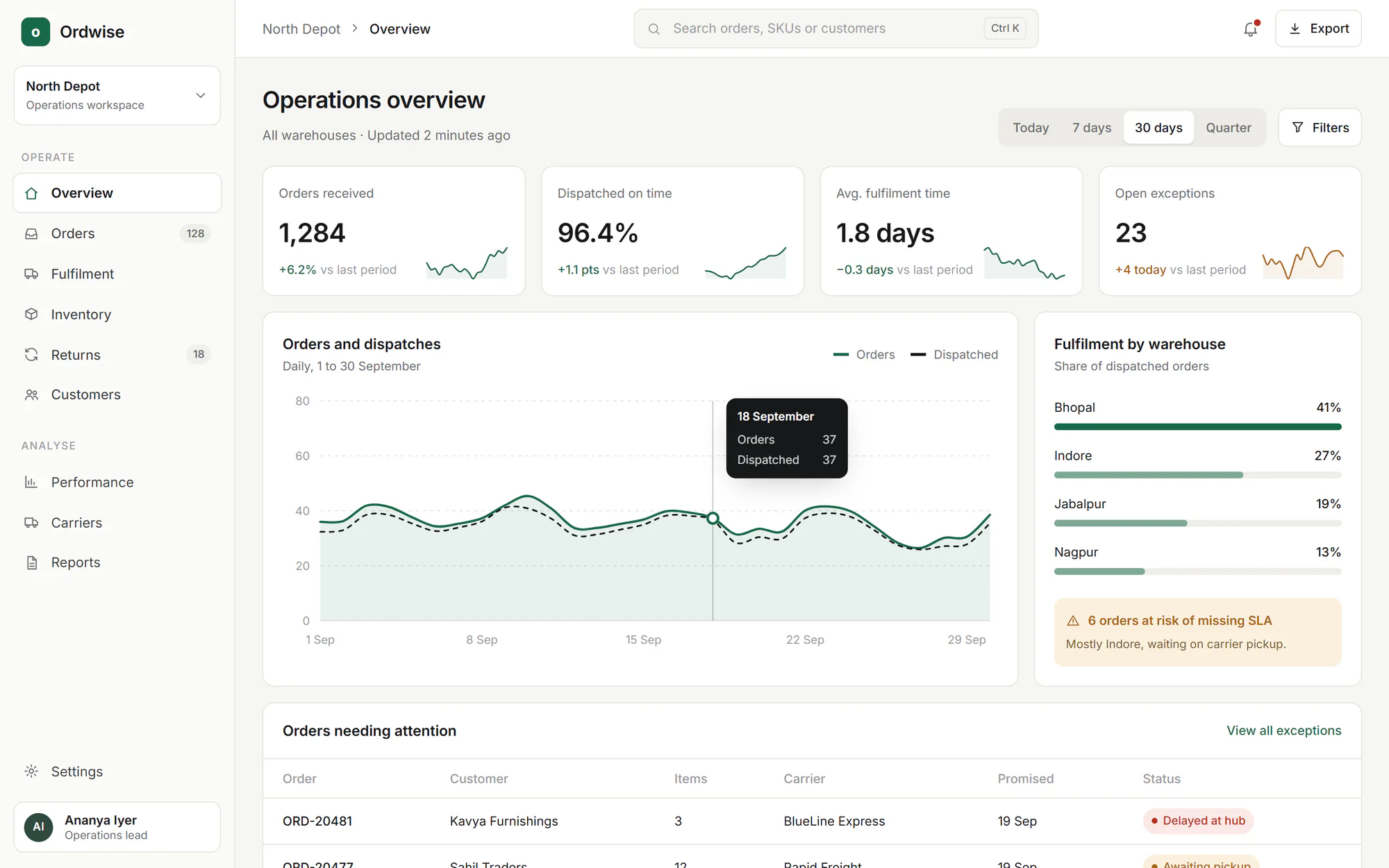
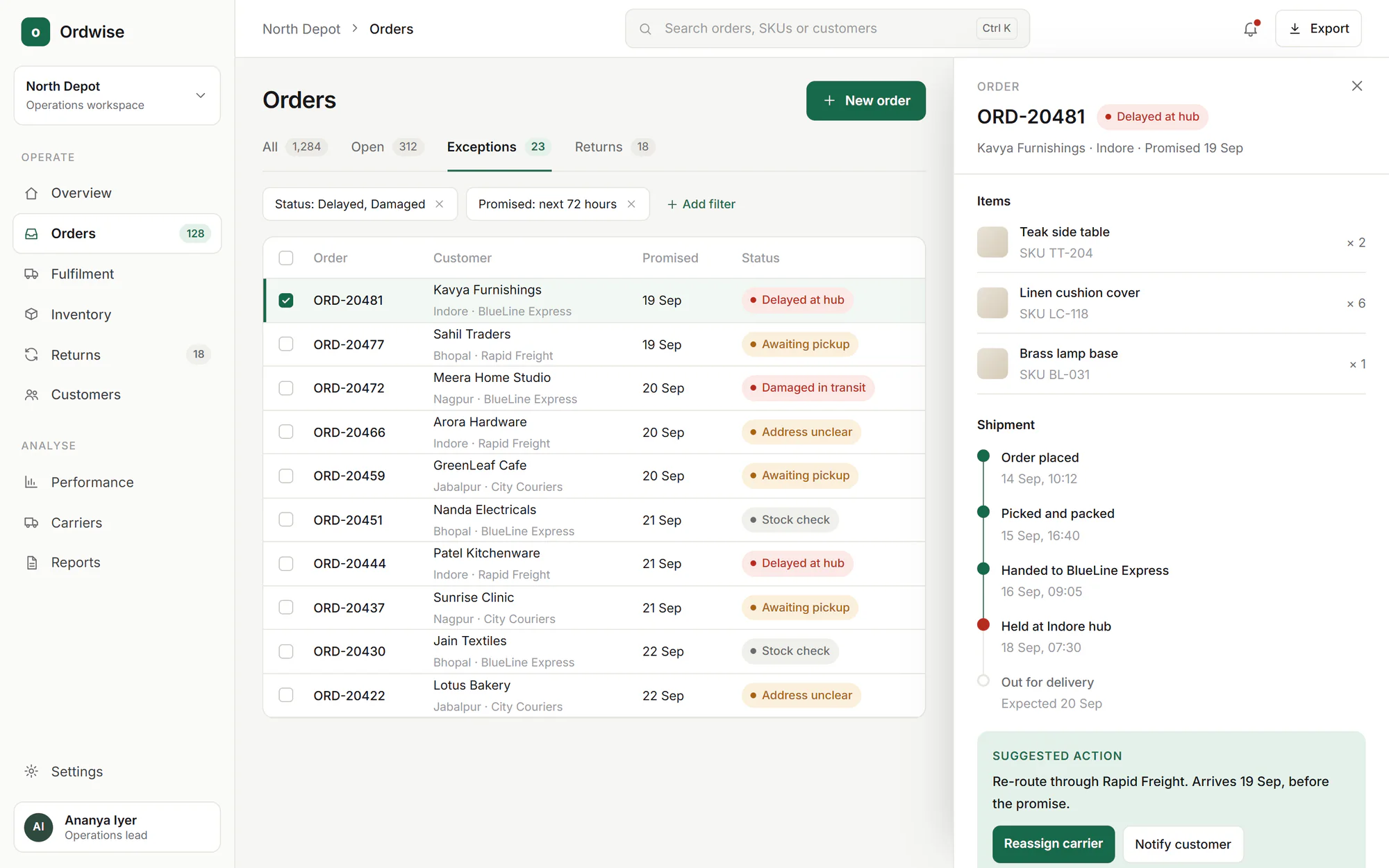
- Screens from
- Ordwise (concept)
01Challenge
The problem, as it was found
Instrument bookings, sample status and equipment problems were tracked in separate places, so delays were found out late and by accident.
- Bookings were made by email, and clashes were found on the day
- Samples moved between teams with no shared status
- Equipment faults were reported in a shared inbox and easily lost
- No one could see what was blocking the next piece of work
Context
The lab ran several instruments with limited availability, shared by teams with different priorities. Scheduling was social: people knew who to ask.
That worked until the lab grew. The goal was not to replace the people who coordinated, but to give them a view of the whole picture.
02System
How it was put together
L1 · Calendar and board views
Interface
- Schedule
- Sample list
- Blocker board
L2 · Booking rules
API
- Bookings
- Samples
- Faults
- Notifications
L3 · Relational model
Data
- Instruments
- Bookings
- Samples
- Fault log
L4 · Background work
Jobs
- Reminders
- Overdue checks
Path through the system
- 1Booking requested
- 2Clash check
- 3Slot confirmed
- 4Sample linked
- 5Reminder sent
03What was built
The parts, in the order they shipped
- 01
Instrument scheduling
A booking view per instrument that prevents clashes and shows who holds the next slot.
- 02
Sample tracking
A status for each sample as it moves through preparation, measurement and review.
- 03
Blocker board
A list of what is stopping work, with an owner for each item.
- 04
Fault reporting
A structured way to report an equipment problem, linked to the instrument and its upcoming bookings.
04Decisions
The choices that shaped it
Decision 1
Prevent clashes in the data, not in the interface
Why
A booking rule enforced only on screen can be bypassed by a second tab or an import.
Trade-off
More careful database design up front.
Decision 2
A blocker is a first-class object
Why
Delays were the real pain, and they had no home in the old tools.
Trade-off
One more concept for users to learn, which paid off quickly.
Decision 3
Notifications are quiet by default
Why
Over-notifying trains people to ignore the system.
Trade-off
Some users asked for more, so the settings are adjustable.
05Technology
What it was built with
- Frontend
- Next.jsReactTypeScript
- Backend
- Node.jsExpress.jsREST APIs
- Database
- PostgreSQL
- Cloud and DevOps
- DockerGitHub Actions
06Outcome
Gave the lab one place to see what is booked, what is in progress and what is blocked.
- Scheduling clashes are prevented at the point of booking
- Samples and instruments share a single, current status
- Blockers have owners and are visible to everyone who needs them
Demo case study. Outcomes are qualitative. No metrics, savings, revenue or user figures are claimed.
More case studies
Related
Related services
Have something worth building?
Tell us what you want to build. A short brief is enough to start the conversation.