
04 / Mobile App Development
Mobile app development for Android and iOS
Customer apps and internal workforce apps for Android and iOS, built with React Native, connected to your systems and released through the app stores.
01What we build
The apps we build
- 01
Customer-facing apps
Accounts, orders, bookings and notifications on the device people carry.
- 02
Workforce and field apps
Jobs, checklists, photos and signatures captured where the work happens.
- 03
Companion apps
A mobile front for an existing web system, sharing its data and rules.
- 04
Cross-platform apps
One codebase for Android and iOS, with platform differences handled deliberately.
- 05
Offline-capable apps
Work continues without a connection and syncs when it returns.
- 06
Releases and updates
Store submission, versioning and a path for updates after launch.
02Problems we solve
The situations that lead people to us
Problem 1
Field work recorded on paper
Forms are re-typed later, with errors and delay.
Problem 2
Customers cannot self-serve
Simple requests still need a phone call or a chat thread.
Problem 3
Two apps, two codebases
Android and iOS drift apart and every feature costs double.
Problem 4
Apps that fail without signal
Tools that only work online fail exactly where they are needed.
Platforms
Android, iOS and what they share
01
Android
Distributed through Google Play, with a wide range of devices and screen sizes to test.
02
iOS
Distributed through the App Store, with its own review process and design conventions.
03
Shared code
Business logic, API access and most screens live once, in React Native.
04
Shared backend
One API serving the app, your web application and your admin tools.
03Capabilities
What is included in the work
Cross-platform development
React Native with TypeScript, structured for maintainability.
Offline storage and sync
Local data, queued actions and conflict handling.
Push notifications
Timely messages tied to real events in your system.
Device features
Camera, location and file capture where the use case needs them.
Authentication
Secure sign-in and session handling.
API integration
REST APIs shared with your web application.
Store release
Build, sign and submit for Android and iOS.
Release pipelines
Automated builds and versioned releases.
04Technology
The tools this work uses
- Frontend
- TypeScript
- Backend
- Node.jsExpress.jsREST APIs
- Database
- PostgreSQLMongoDB
- Mobile
- React Native
- Cloud and DevOps
- AWSGitHub ActionsCI/CD
05Process
How a mobile app build runs
- 01
Understand
Who uses the app, where, on what devices and with what connection.
- 02
Plan
Screens, data, offline behaviour and the release path for both stores.
- 03
Build
Builds you can install early, so feedback comes from a real phone.
- 04
Test
Real devices, poor connections and the awkward cases.
- 05
Release
Store submission and rollout, with monitoring after launch.
- 06
Improve
Updates based on usage and store feedback.
06Concept project
Routecard: a field-service app built with React Native
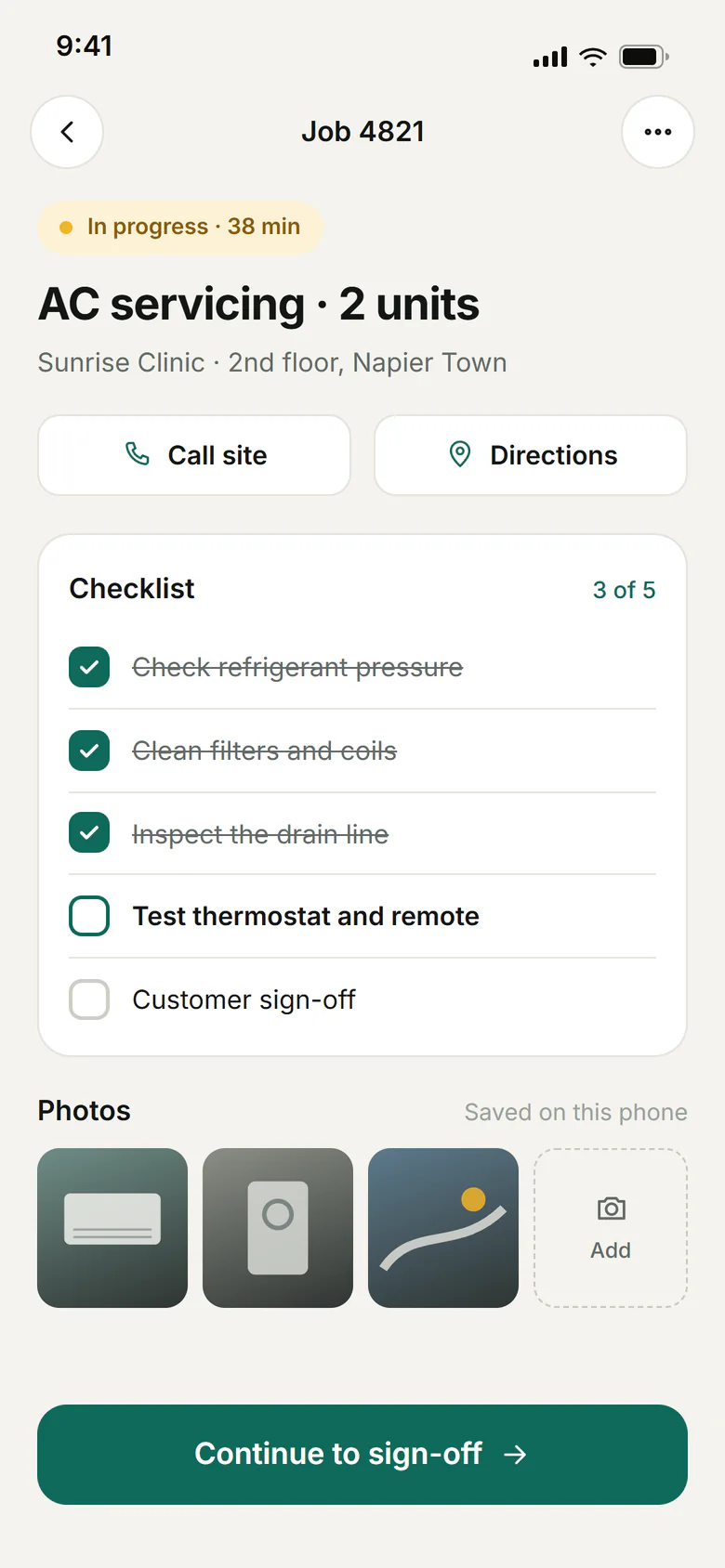
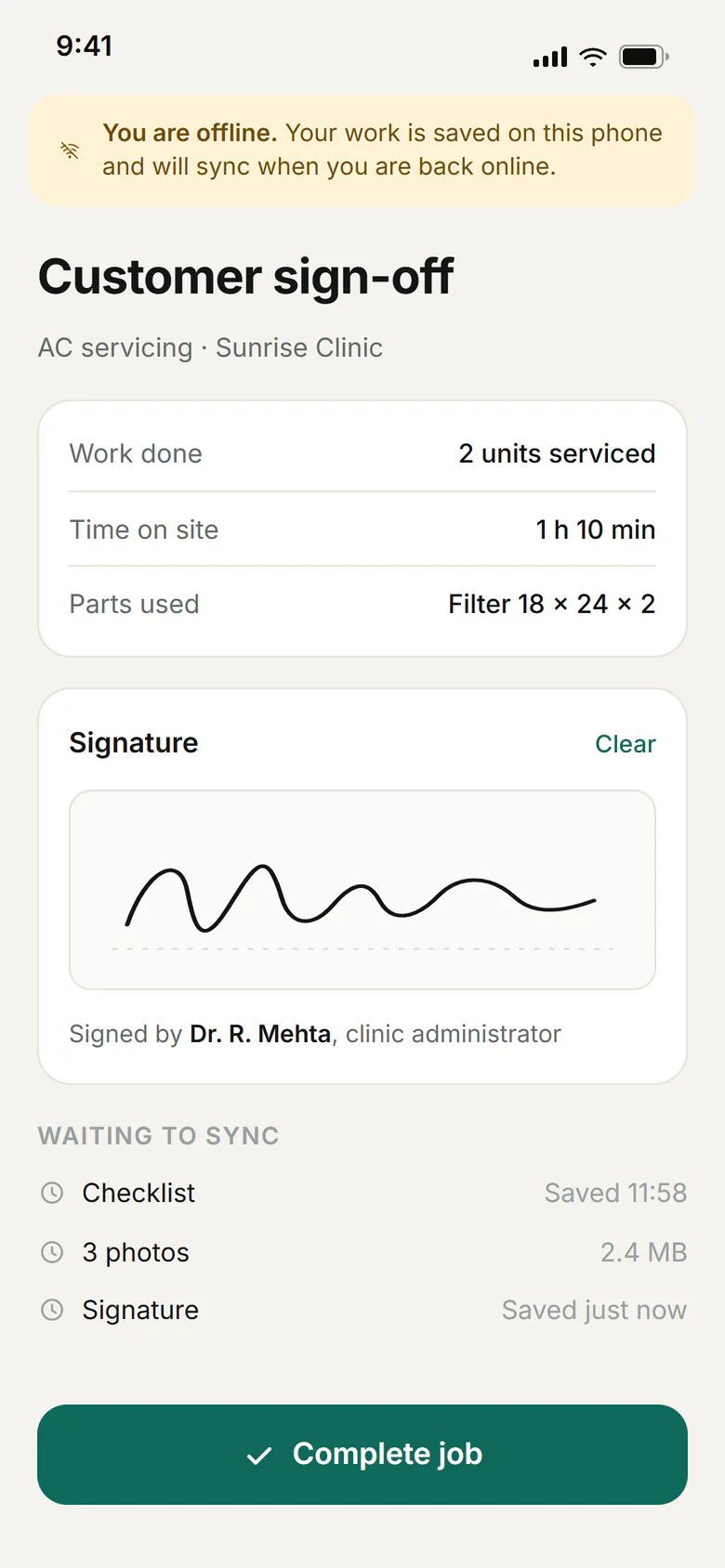
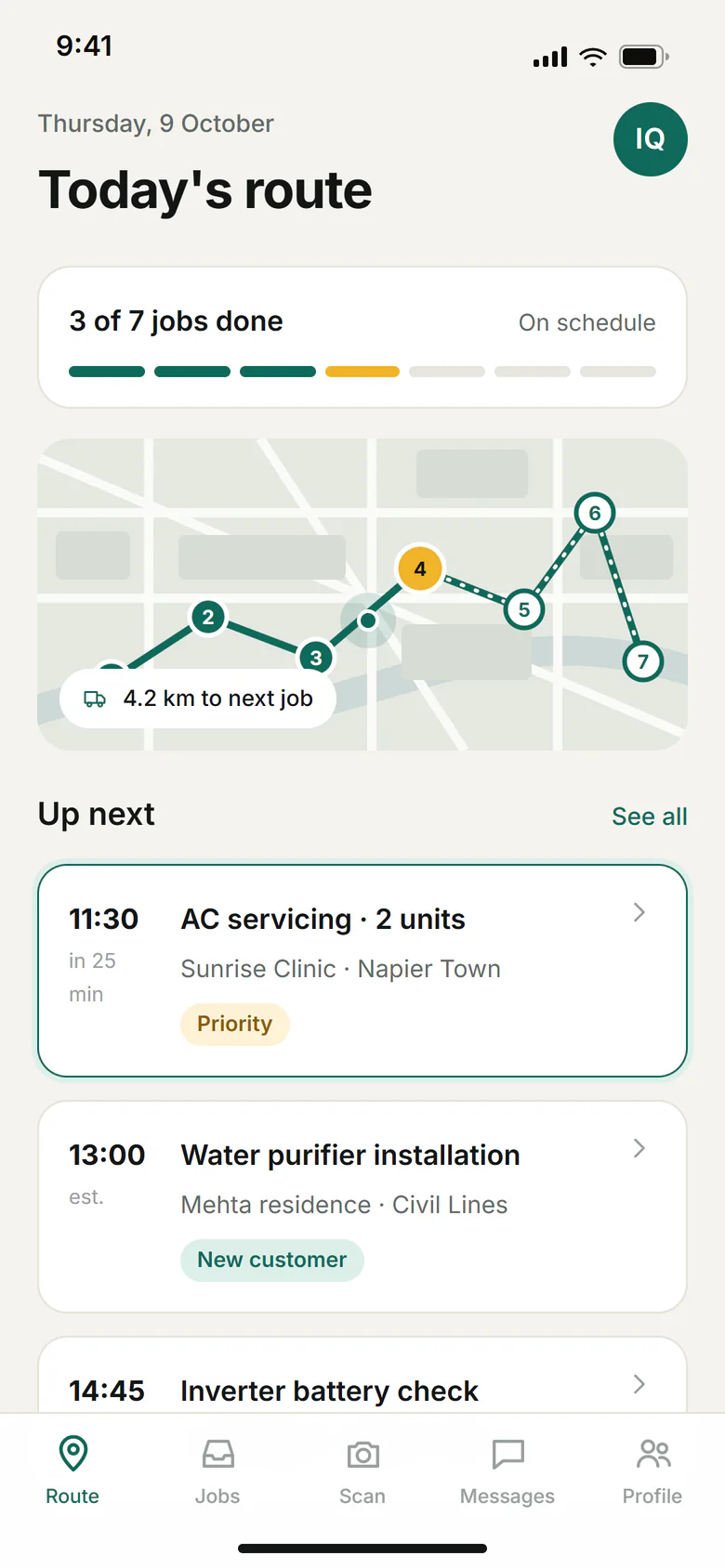
A mobile app for technicians on the road: today's route, job checklists with photos, and customer sign-off that keeps working without a signal and syncs later.
01Today's routeThe day at a glance: progress, the route and the next job. 02Job checklistChecklists and photos are captured on site, with or without signal. 03Offline sign-offSign-off works offline; the queue syncs when the phone reconnects.
07FAQ
Questions we are asked
Which technology do you use for mobile apps?
Our mobile work uses React Native, which builds for Android and iOS from one codebase. For most business apps that is a practical choice: shared logic and faster updates. Requirements that call for something different are discussed during planning.
Will you publish the app to the stores?
We can prepare and submit builds to the app stores. We recommend keeping critical infrastructure and service accounts, including the store accounts and signing credentials, under the organisation's ownership, and we can guide the setup.
Can the app work offline?
It can, where the use case needs it. Offline behaviour is best decided early, because it affects data handling throughout the app.
Can the app share a backend with our web application?
Commonly, yes. Using one API for both reduces duplicated rules and helps keep data consistent.
What happens when iOS or Android change?
Platform updates typically require periodic maintenance releases, so we recommend planning for them rather than treating an app as finished at launch.
Have something worth building?
Tell us about the mobile apps project you have in mind. A short brief is enough to start.