
Case studyIllustrative write-up · no real client
A field app that keeps working when the signal does not
An offline-capable mobile app for technicians, with an admin view for the office.
- Client
- None: illustrative
- Industry
- Field services
- Screens from
- Routecard (concept)
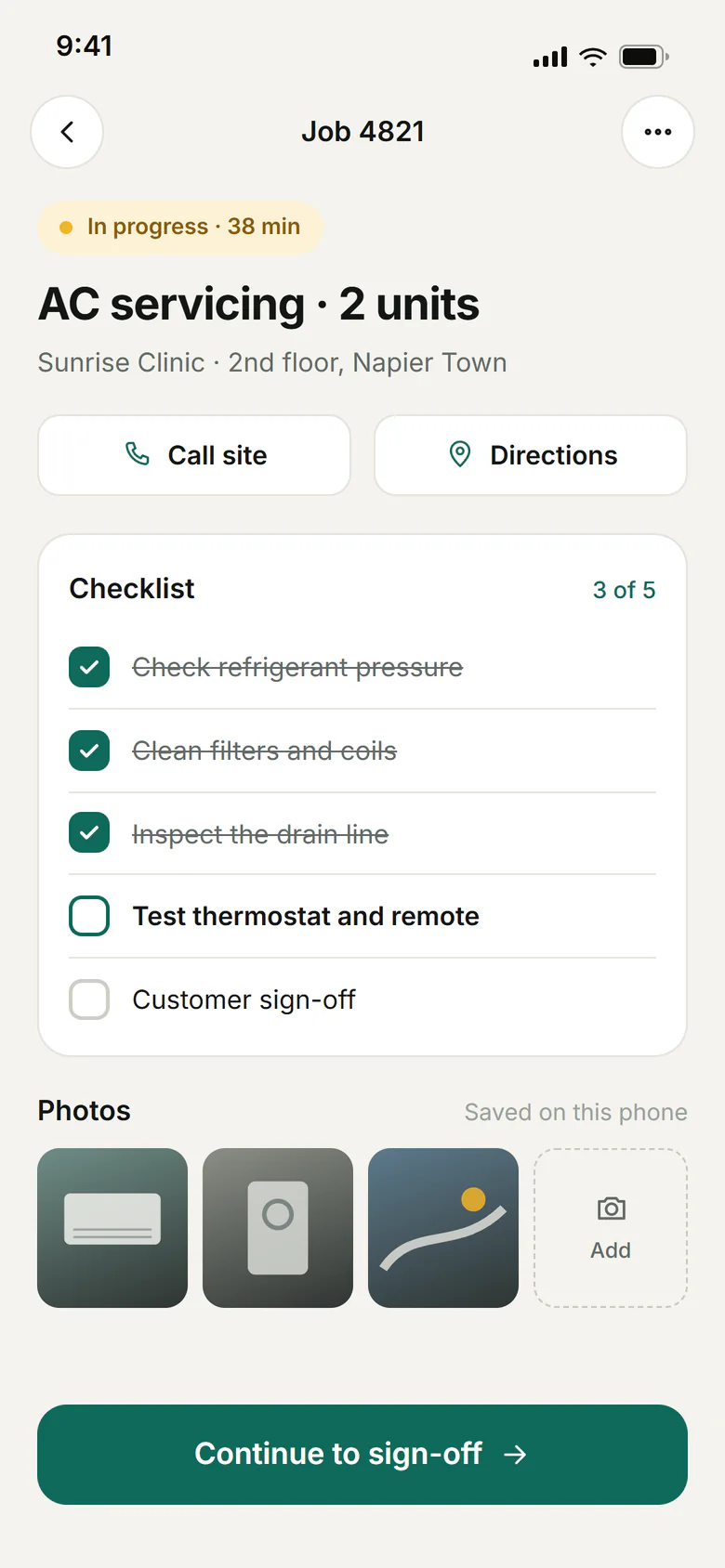
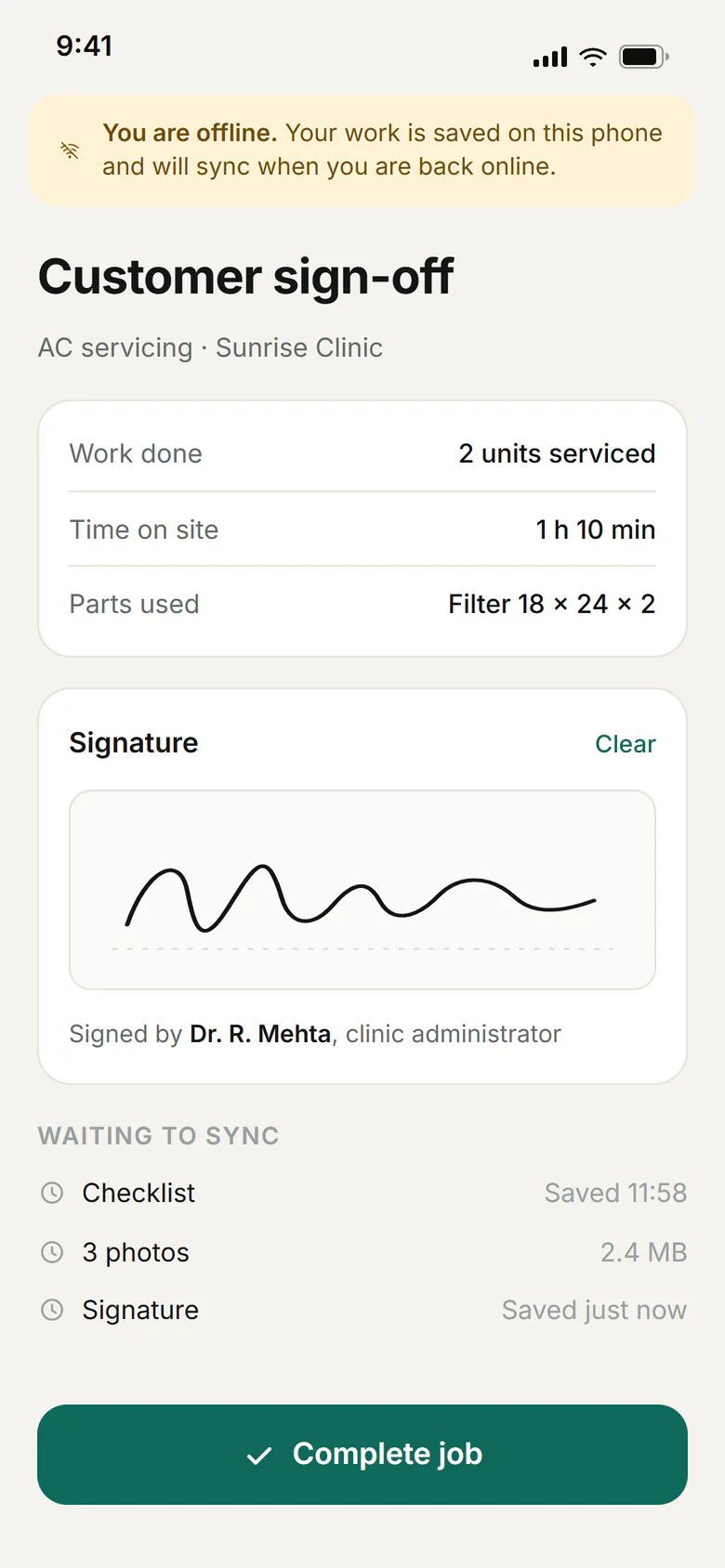
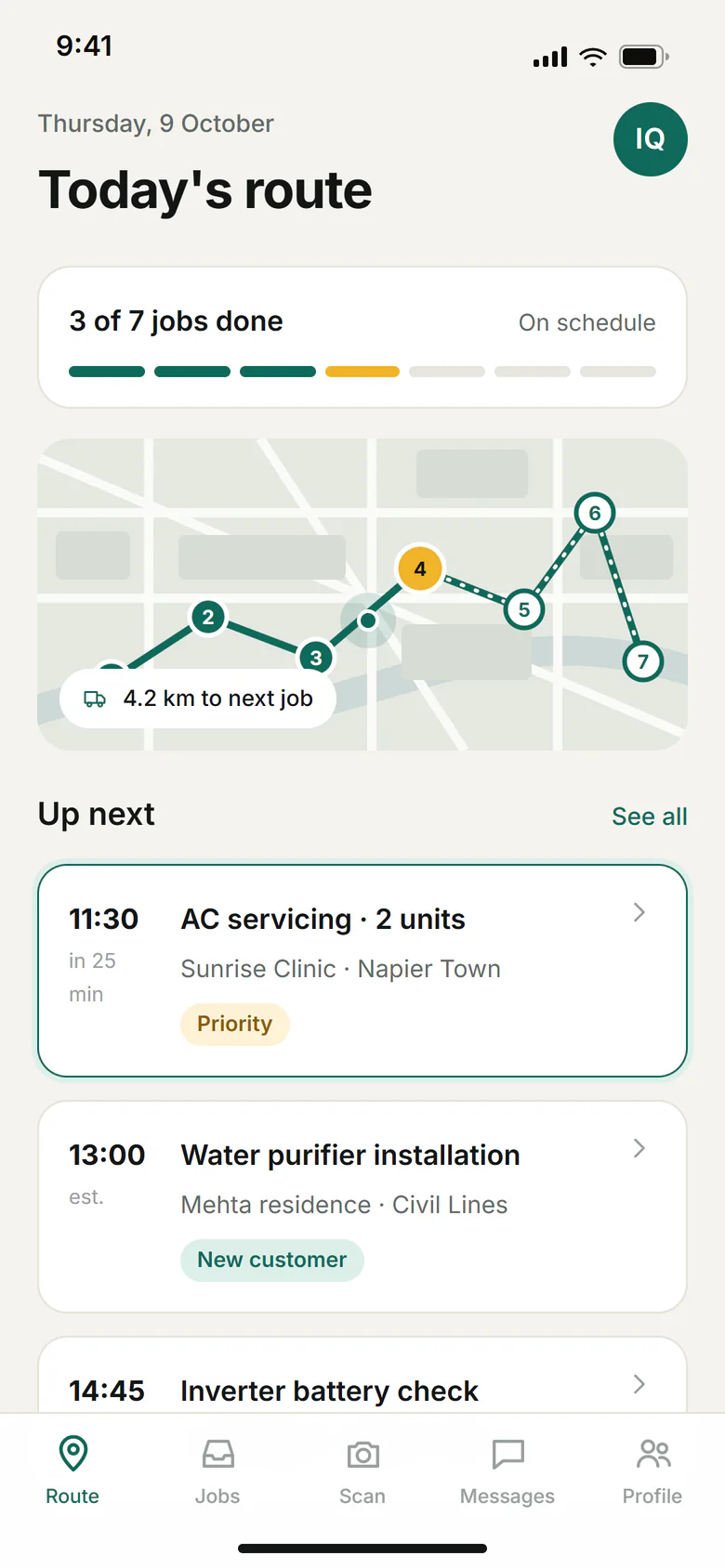
01Challenge
The problem, as it was found
Technicians recorded visits on paper and typed them up later, so the office saw results a day behind and with errors from re-keying.
- Checklists and photos were collected on paper or personal phones
- Job details reached technicians by call or message
- Visit records were typed up after the fact
- Signal was unreliable at many sites
Context
Technicians visited a mix of sites, some with good connectivity and some with none. A tool that required a connection would fail exactly where it was needed.
Offline behaviour therefore had to be designed from the start, not added later, because it shapes how data is stored, queued and reconciled.
02System
How it was put together
L1 · React Native
Mobile app
- Job list
- Checklists
- Photo capture
- Offline queue
L2 · Reconciles changes
Sync API
- Jobs
- Visits
- Uploads
- Auth
L3 · Server records
Data
- Jobs
- Visit records
- Media references
L4 · Office view
Admin web
- Assign jobs
- Review visits
Path through the system
- 1Job assigned
- 2Downloaded to device
- 3Visit completed offline
- 4Queued
- 5Synced and reviewed
03What was built
The parts, in the order they shipped
- 01
Job list
Today's jobs on the technician's phone, with details and a clear next action.
- 02
Checklists and photos
Structured checklists with photo capture, saved on the device first.
- 03
Offline queue
Completed work waits safely on the device and uploads when a connection returns.
- 04
Office admin view
A web view for assigning jobs and reviewing submitted visits.
04Decisions
The choices that shaped it
Decision 1
Save locally first, always
Why
A visit must never be lost because a connection dropped halfway through a submission.
Trade-off
Conflict handling became a first-class concern.
Decision 2
One API for the app and the admin view
Why
Separate backends would have meant duplicated rules and drift between them.
Trade-off
The API had to serve two different kinds of client.
Decision 3
Keep the checklist simple
Why
People use these on their feet, often in poor conditions.
Trade-off
Some requested fields were deferred to keep each screen light.
05Technology
What it was built with
- Frontend
- TypeScript
- Backend
- Node.jsExpress.jsREST APIs
- Database
- PostgreSQL
- Mobile
- React Native
- Cloud and DevOps
- AWSGitHub Actions
06Outcome
Moved field recording from paper to a phone that works without a connection.
- Visit data is captured once, at the point of work
- Work completed offline syncs without being retyped
- The office reviews structured records instead of paper
Demo case study. Outcomes are qualitative. No metrics, savings, revenue or user figures are claimed.
More case studies
Related
Related services
Have something worth building?
Tell us what you want to build. A short brief is enough to start the conversation.